Drop your page
Upload the HTML file, the folder or a ZIP. Or paste the code an AI chat gave you.
Upload an export from Lovable, Bolt, v0, Webflow or your own code. You get native, editable Elementor widgets back, tested in WordPress on desktop, tablet and mobile.
Works with pages made in
 Lovable
 Bolt
Bolt v0
v0 Cursor
 Claude
 Gemini
 Replit
 Windsurf
 Webflow
 Bootstrap
 Tailwind
From a Lovable export to an editable Elementor page, start to finish.

Most HTML to WordPress converters hand you a theme with your markup inside. It looks right, but nobody can edit it in Elementor. We rebuild the page from real widgets.
No plugin to install first, no account, no settings to understand.
Upload the HTML file, the folder or a ZIP. Or paste the code an AI chat gave you.
Your page becomes Elementor widgets, is imported into a clean WordPress and compared on three screen sizes.
Activate the theme and the page is there. Or import the JSON template into a site you already have.
Every page is imported into a real WordPress site and compared pixel by pixel with your original. You see the score and the screenshots, so there are no surprises later.
 Your HTML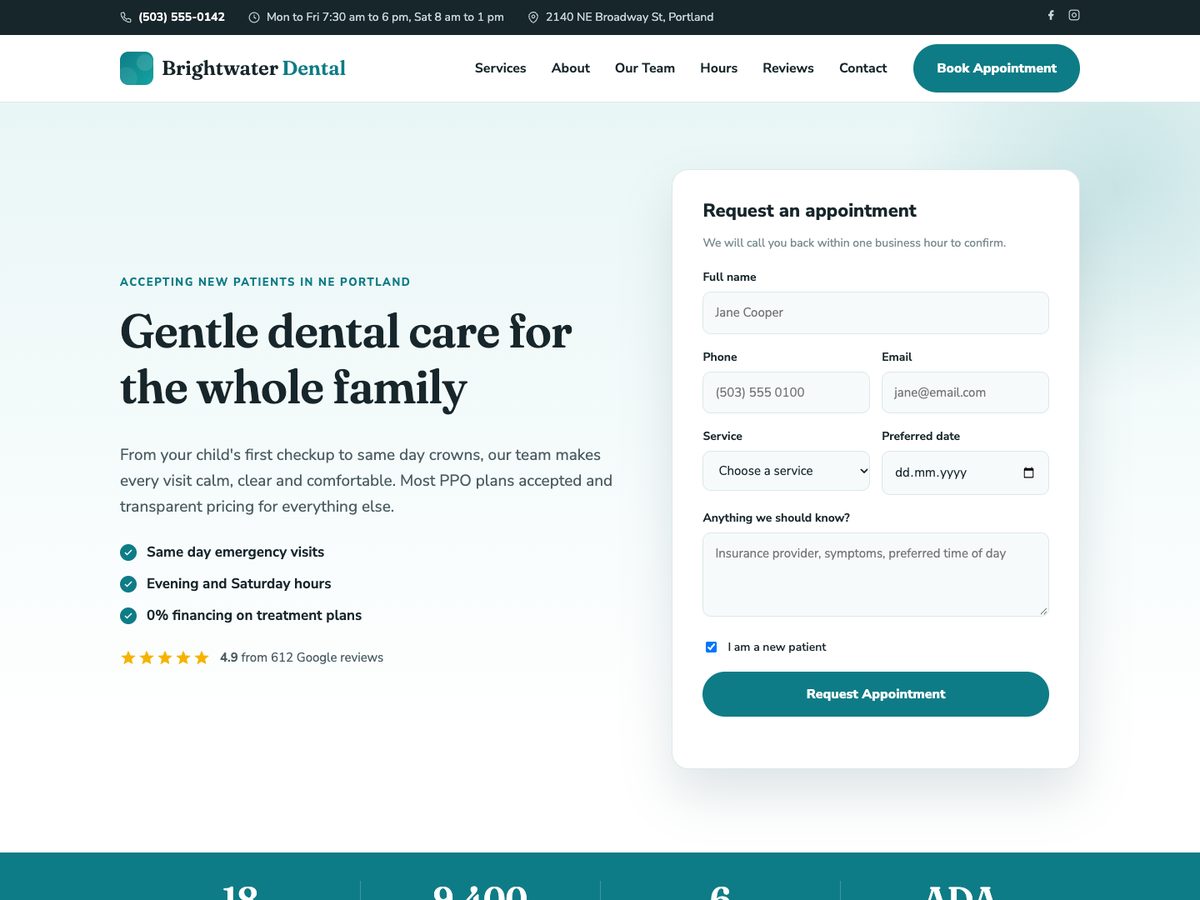
 Elementor in WordPress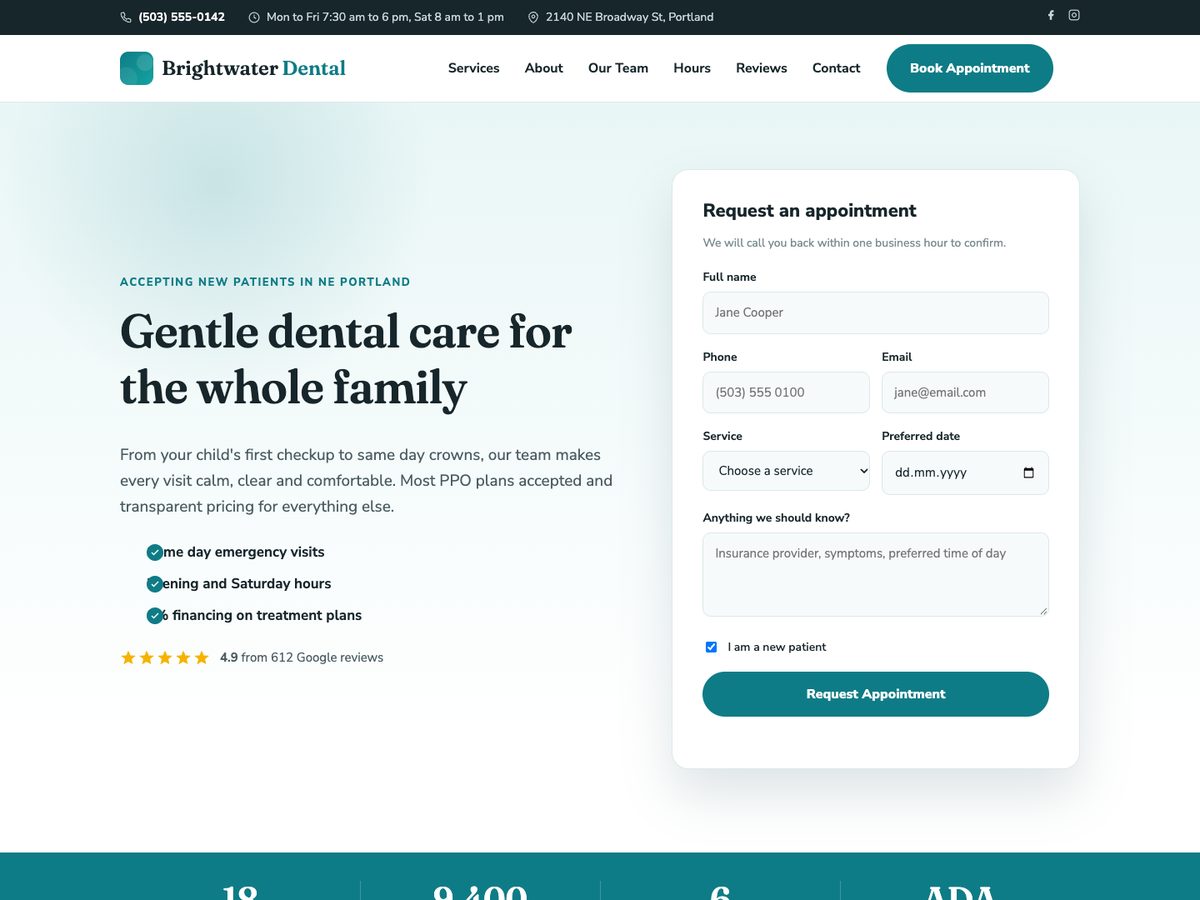
Desktop, tablet and mobile are rendered and scored separately, because that is where conversions usually break.
Not a preview. The page is imported into WordPress with the free Elementor plugin, exactly as you will do it.
Open both versions in your browser, click through menus and hovers, and switch between screen sizes.
Each part of your page becomes the Elementor widget made for it, inside Containers with flexbox and grid.
Sizes, spacing and layout for tablet and mobile are set on each widget, the way you would set them by hand.
Every image goes into the WordPress media library, also images from other servers.
Google Fonts are set up in Elementor, your own font files are packed into the download.
Hover states, menus, sliders, tabs and animations keep their CSS and scripts.
Recognised automatically and delivered as their own templates, so every page of the site can use them.
The theme package installs Elementor if needed, imports the page and its media and sets it as your homepage.
| Elemorph | HTML to theme converters | Rebuilding by hand | |
|---|---|---|---|
| What you get | Elementor page from native widgets | PHP theme with your HTML inside | Elementor page |
| Edit in Elementor | Every text, image and button | No, only in code | Yes |
| Checked before delivery | Score per screen size | No | By eye |
| Time per page | A few minutes | A few minutes | Half a day to two days |
| Price | Free during beta | Usually paid | Your hours |
Short guides for getting your page out of the tool you made it with.
Lovable to ElementorMove a page you built in Lovable into WordPress as native Elementor widgets.
Read the guideBolt to ElementorTurn a Bolt.new site into an editable Elementor page.
Read the guidev0 to ElementorBring a v0 design into WordPress as a real Elementor page.
Read the guideChatGPT or Claude HTML to ElementorPaste the HTML an AI chat wrote for you and get an Elementor page back.
Read the guideCursor, Claude Code and Windsurf to ElementorYou built the site in an AI code editor. Your client wants Elementor.
Read the guideWebflow to ElementorMove a Webflow page to WordPress and keep editing it visually.
Read the guideYou upload an HTML page. We open it in a real browser, rebuild it with native Elementor widgets (Container, Heading, Text Editor, Image, Button, Icon List and so on), import it into a clean WordPress test site and compare screenshots on desktop, tablet and mobile. You download the result only after that test.
Yes. While we are in beta there is no price, no account and no credit card. There is a daily limit of 10 conversions per person so the service stays fast for everyone.
No. Everything uses widgets from the free version of Elementor. The theme package even installs the free Elementor plugin for you if it is missing.
HTML pages and what they need: CSS, JavaScript, images (PNG, JPG, GIF, WebP, AVIF, SVG), fonts (WOFF, WOFF2, TTF, OTF), short videos and JSON files. Upload a single file, a whole folder or a ZIP, up to 40 MB. Anything else, for example PHP files or programs, is skipped and listed on your result page.
72 hours. After that your upload, the test pages and the downloads are deleted automatically. There are no backups of them. Download what you need and keep your result link until then.
Every result shows a pixel match score for desktop, tablet and mobile, so you can judge it before you download. In our test set of 119 real pages from more than 40 builders, the average match is 99.5 percent and every page is at 97 percent or higher. You can view both screenshots side by side, or open both versions live, to see any difference.
Free, no account. Your files are deleted after three days.
Convert a page